 Kettlestitch
From PDF to a sewn book, on your iPhone.
Plan the folds, print the sheets and cut the cloth for a book you sew by hand.
 First book free
iOS 17 or later
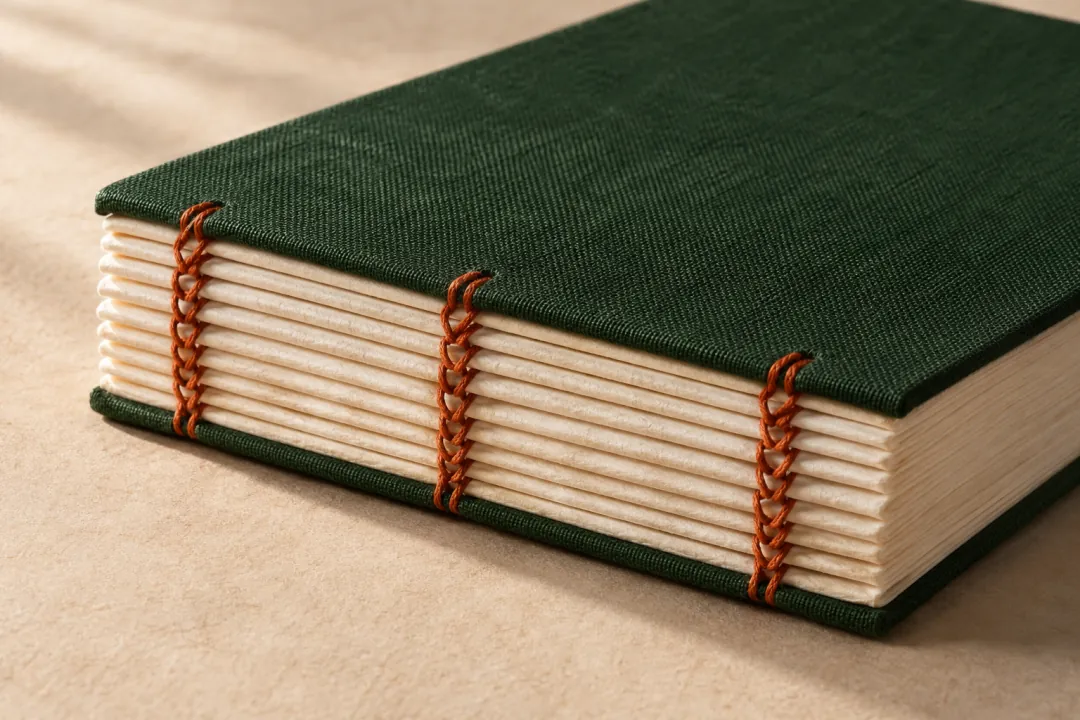
At the workbench
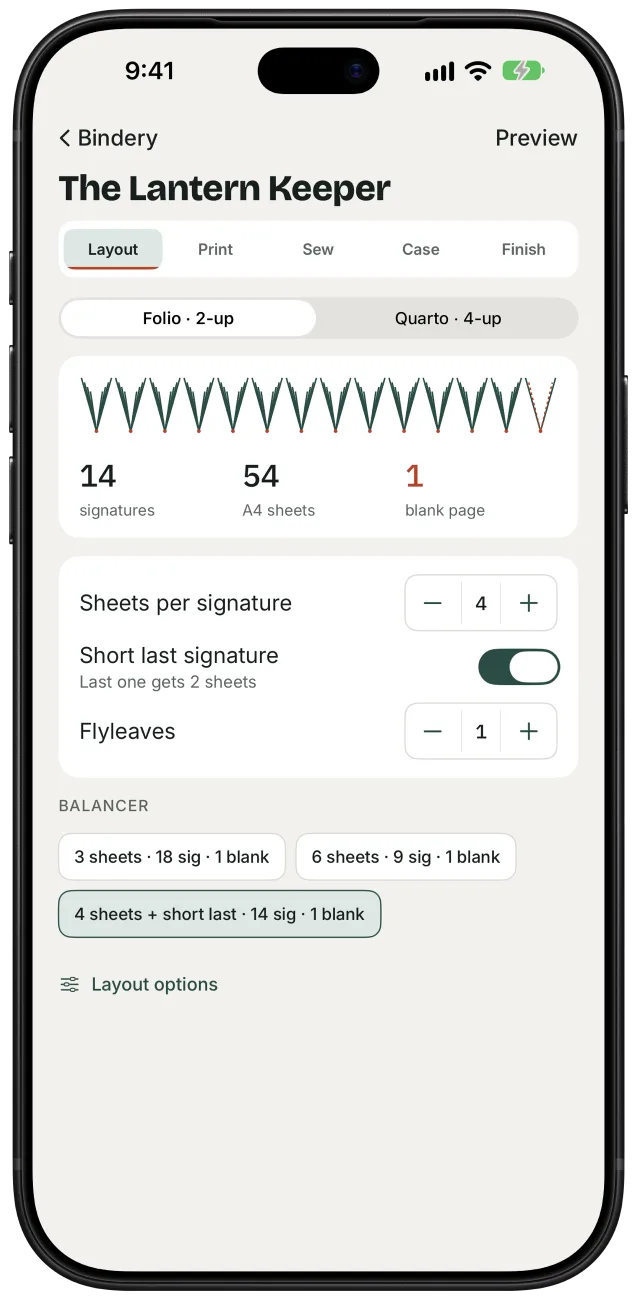
See where the blanks fall.
A signature is a group of folded sheets sewn together. Try different group sizes and see exactly how many blank pages each plan leaves.
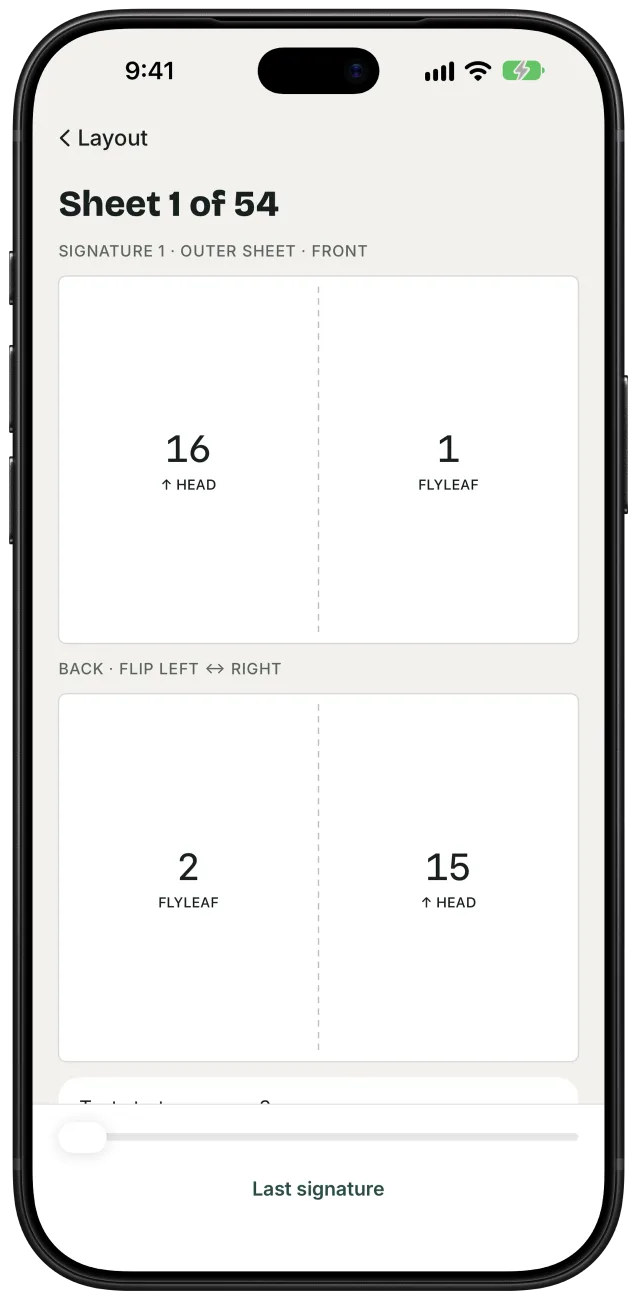
Turn the sheet over.
Check the front and back of each sheet. Page numbers, fold lines and arrows show where every page will land when you fold it.
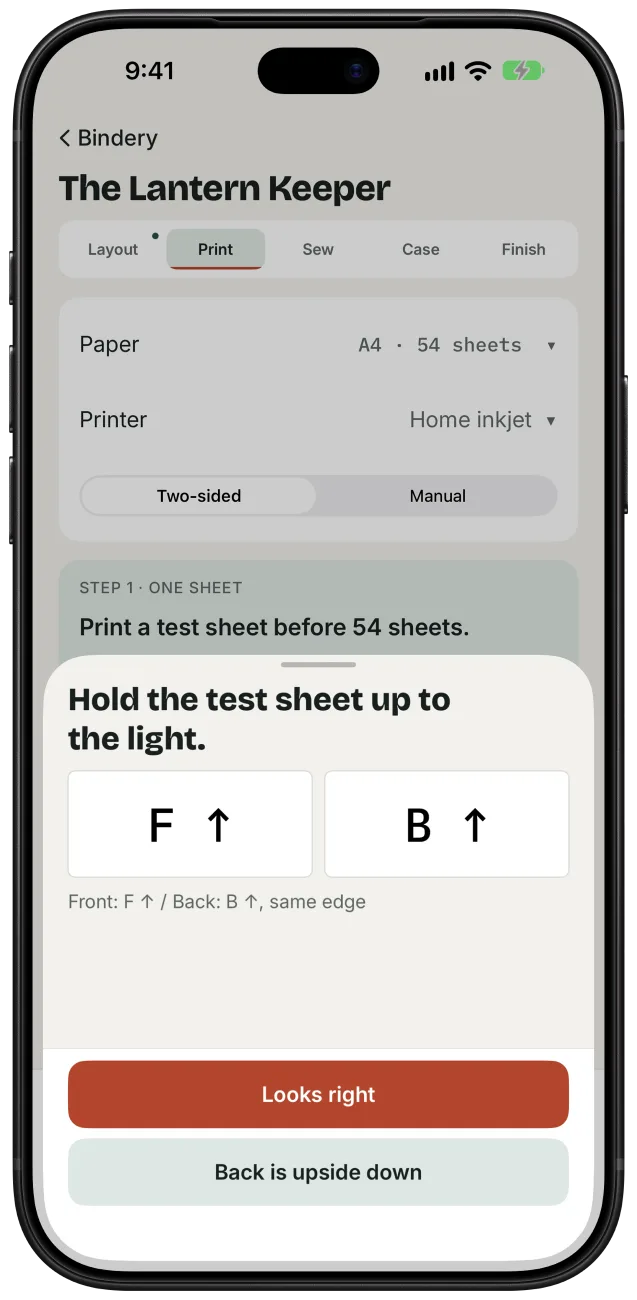
Test your printer’s flip.
Print a single test sheet and hold it to the light. If the back is upside down, adjust the rotation before you print the book.
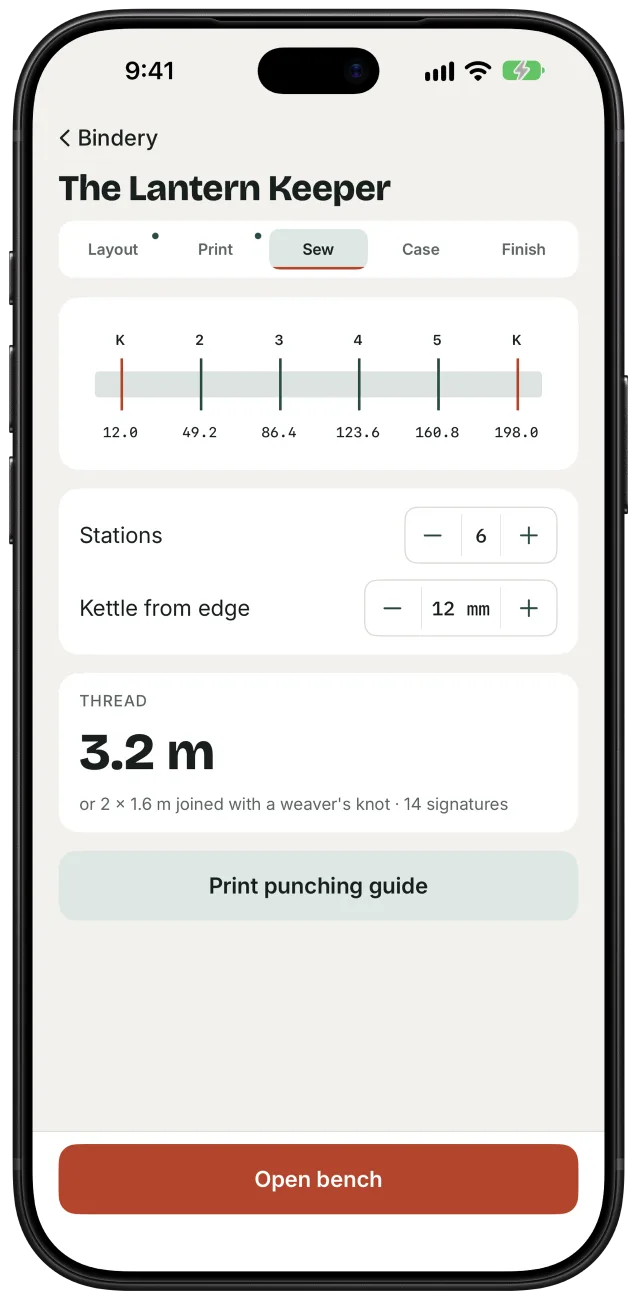
Punch where the thread goes.
Set the sewing stations, print a true-size punching guide and see how much thread to cut. At the bench, tick off each signature as you sew.
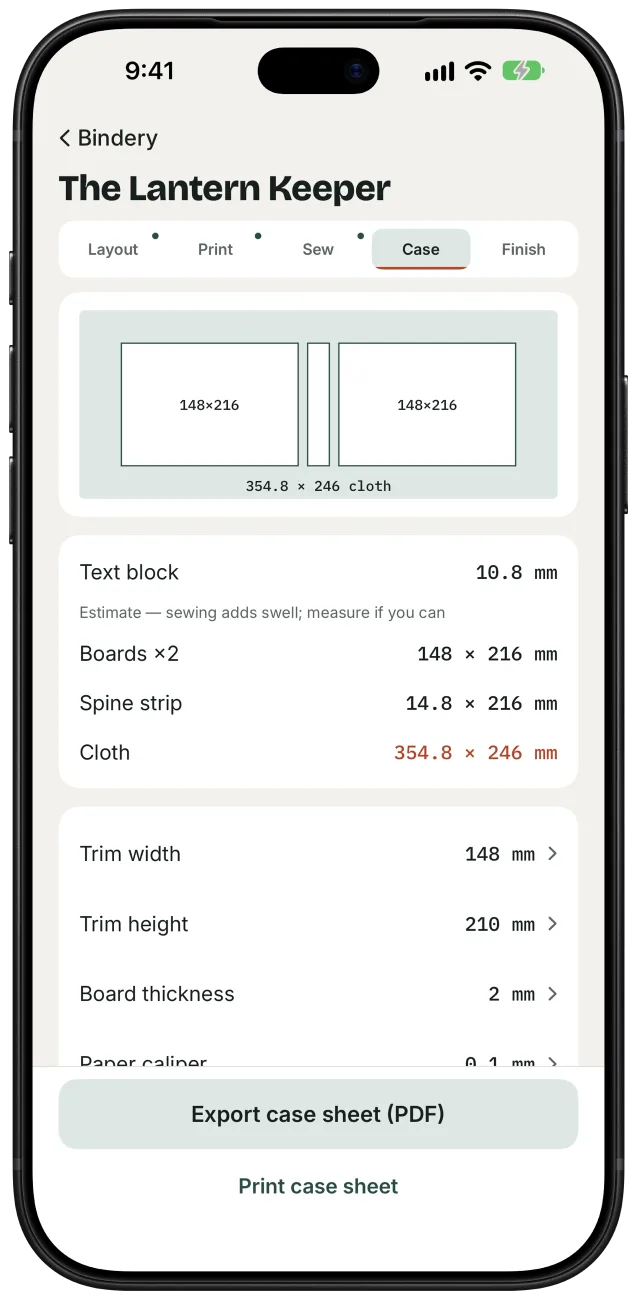
Cut cloth to fit.
Measure your sewn text block. The case calculator turns that measurement into cutting dimensions for the two boards, spine and covering cloth.
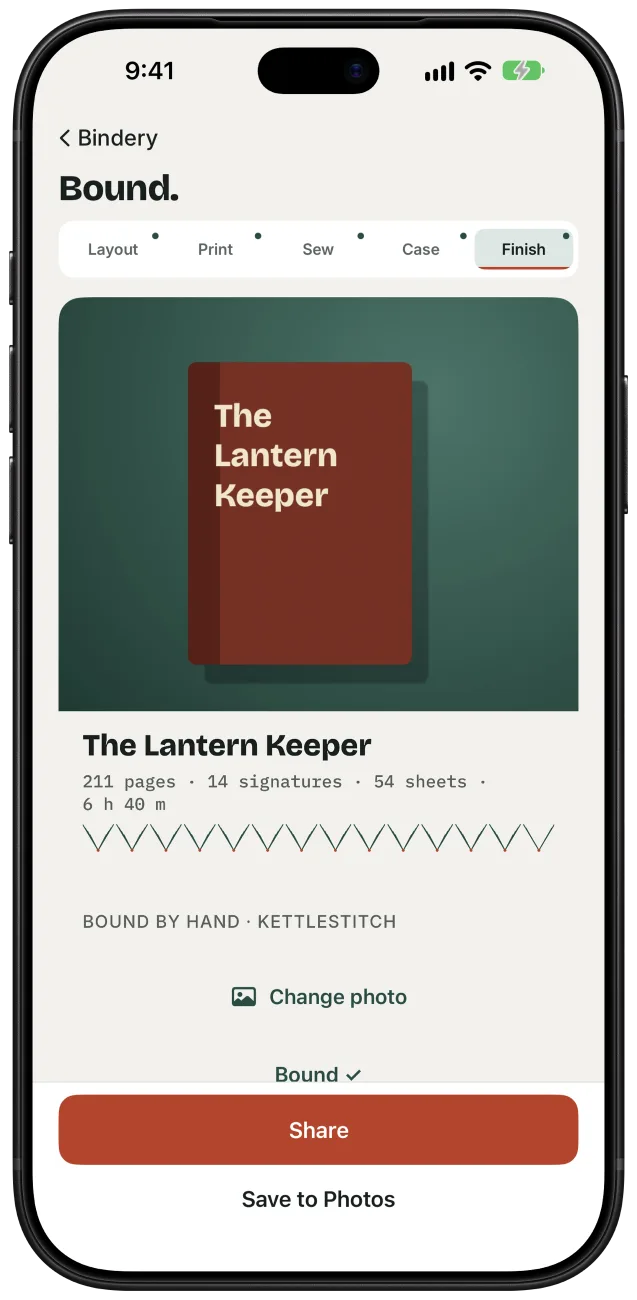
Keep a record of the book.
Add a photo of the finished binding to a card with its page count, signatures and bench time. Save it to Photos or share it with another binder.
Before you print
Visit supportDo I need a two-sided printer?
A single-sided printer works too. Choose Manual, print the fronts, turn the stack, then print the backs. Run the one-sheet duplex test first to see how your printer feeds the paper.
Can I print on A4 or US Letter?
Yes. Choose A4 or US Letter in the Print stage. In folio, folding an A4 sheet in half gives you an A5-sized book. US Letter folds to half letter, 5½ × 8½ inches.
How do I fold a quarto sheet?
Quarto fits four pages on each side of a sheet. Fold each sheet twice on its own, trim the closed folds at the head, then nest the folded sheets into a signature.
Where does my PDF go?
Kettlestitch keeps a copy on your iPhone and arranges the pages there. You choose when to send a file to a printer or share an export. Read the privacy policy.